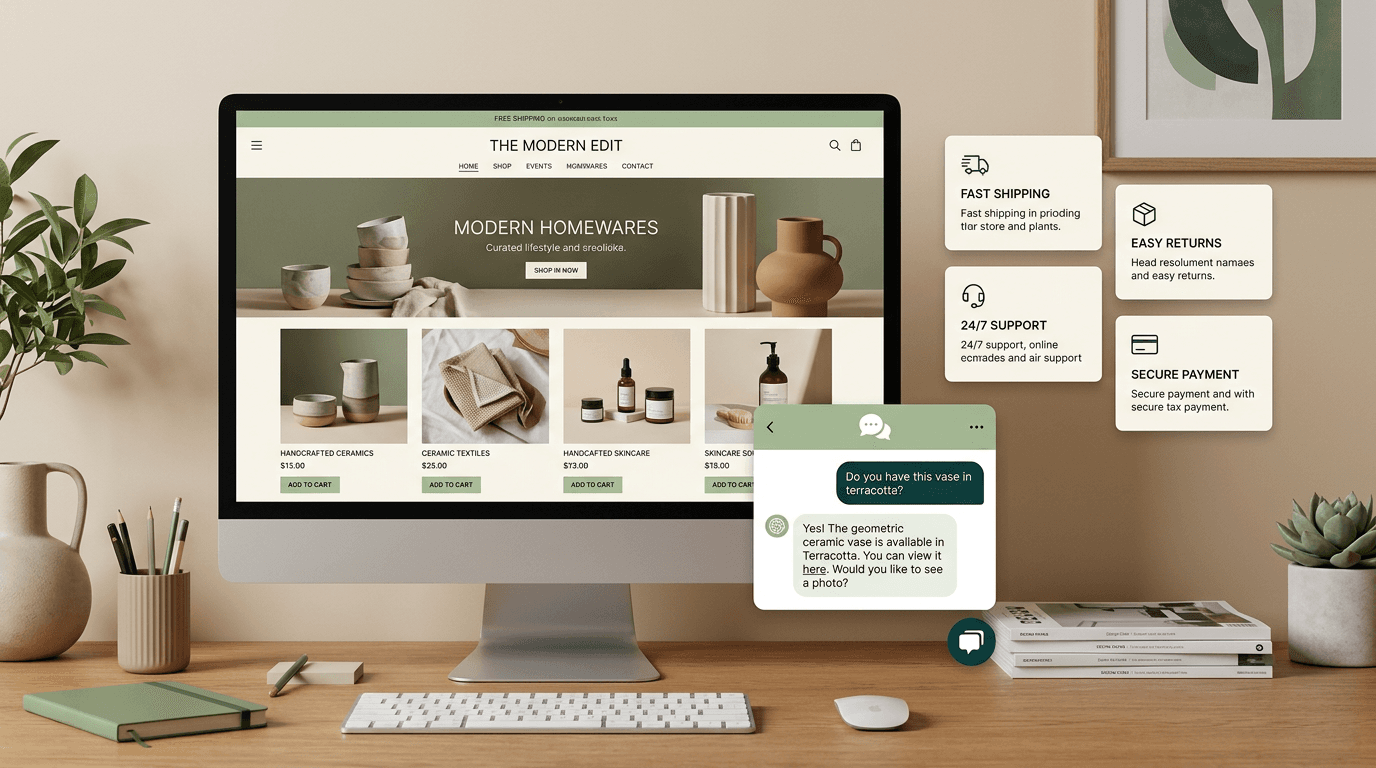
Adding an AI chatbot to Shopify takes 3 minutes — paste one script tag into your theme's <head> section. The chatbot automatically learns your product catalog, FAQ, and policies to answer customer questions instantly, reducing support tickets and boosting conversions.
Why Shopify stores need an AI chatbot
Shopify stores face three persistent problems that AI chatbots solve directly:
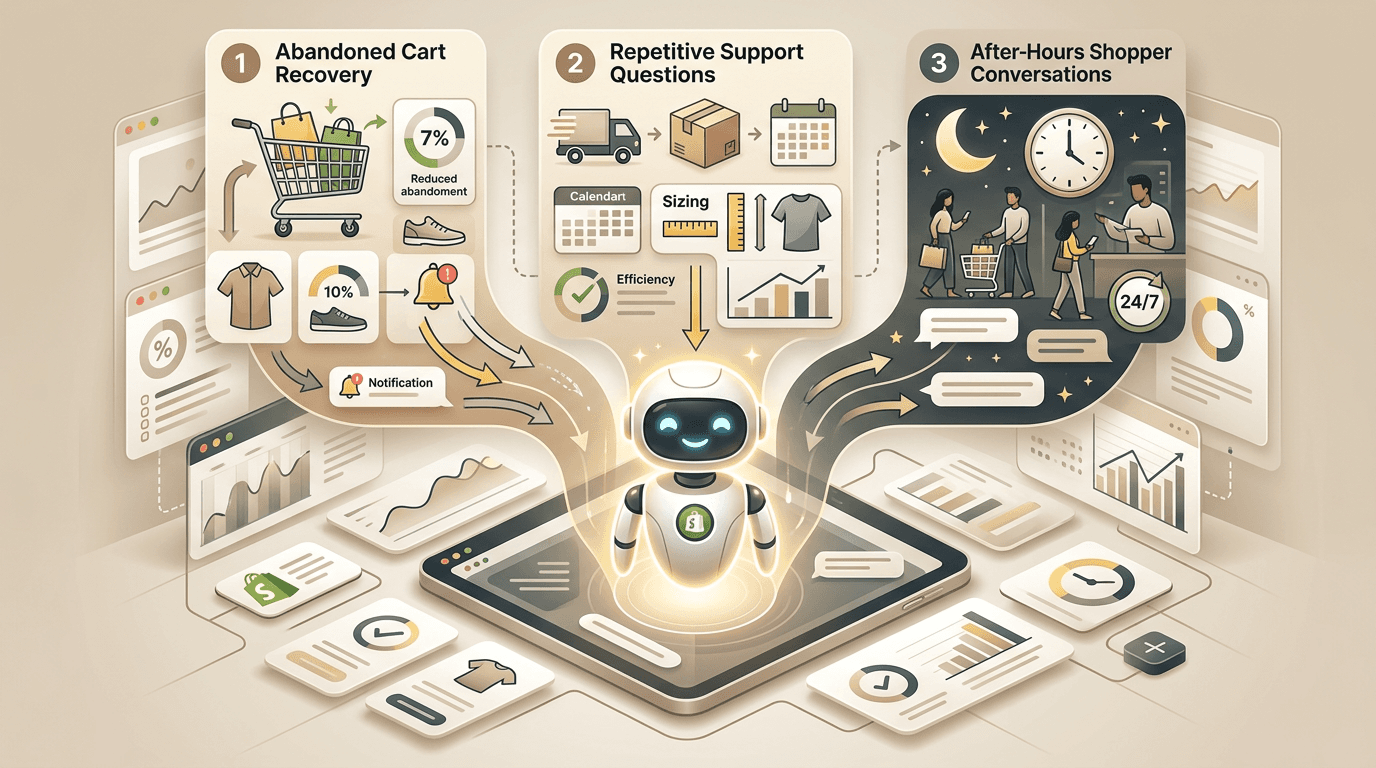
- Cart abandonment (70.19% average rate). Customers abandon carts when they have unanswered questions about shipping, sizing, or returns. A chatbot answers these questions instantly, right on the product or cart page.
- Repetitive product questions. "What size should I get?" "Is this compatible with X?" "When will it ship?" These questions account for 60-70% of support volume. An AI chatbot handles all of them from your existing product descriptions.
- After-hours support gaps. 43% of e-commerce purchases happen outside business hours. Without a chatbot, these customers either leave with unanswered questions or email support and wait hours for a reply.
How to install
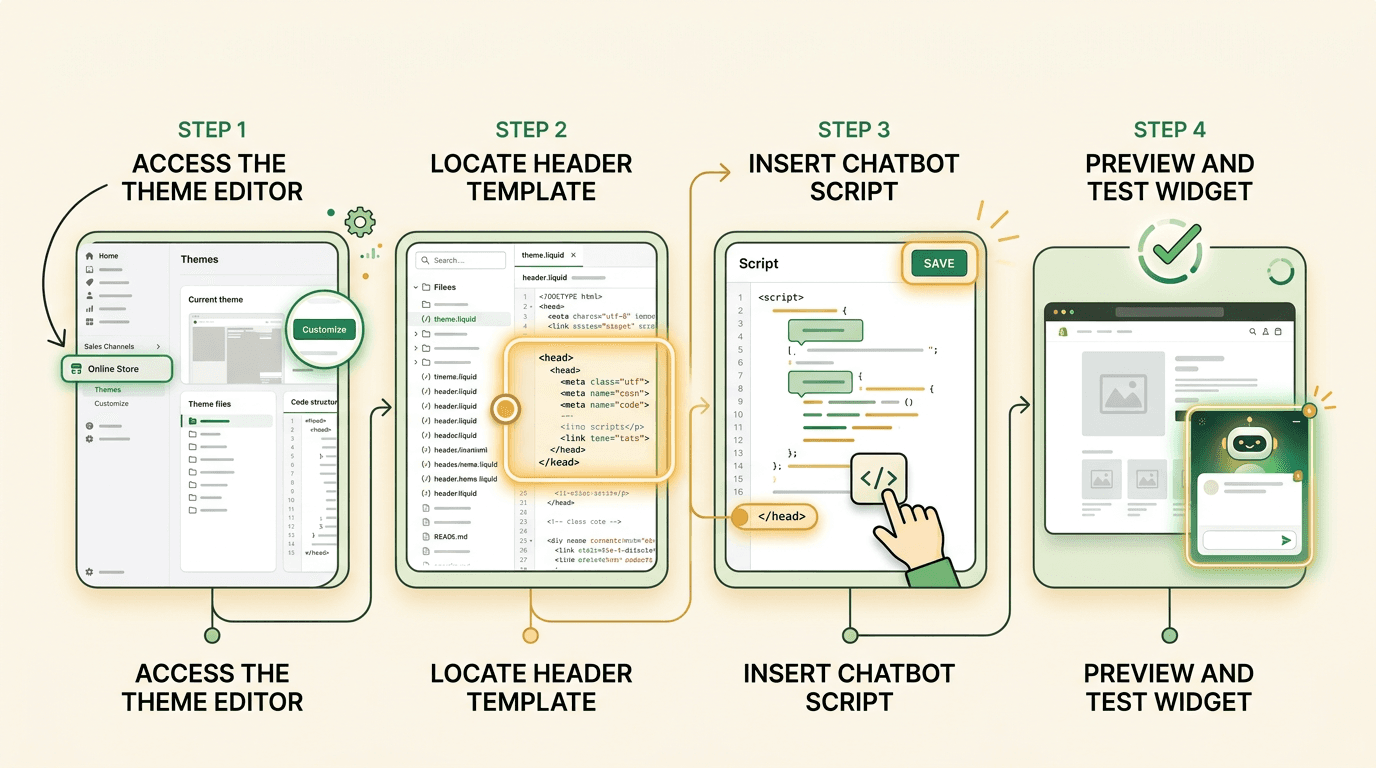
The installation takes one step in your Shopify admin:
- Go to Online Store → Themes
- Click Customize on your active theme
- Open Theme Settings (gear icon) or navigate to App Embeds
- Click Custom code or open the theme code editor
- Find the
theme.liquidfile and locate the<head>section - Paste the script tag just before the closing
</head>:
<script
  src="https://cdn.rentabot.chat/widget.js"
  data-api-key="your-api-key-here"
  async>
</script>- Click Save
The chatbot appears on every page of your store immediately. No app installation, no Shopify app review process, no monthly Shopify app fees.
Pro tip
Prefer the theme code editor over Shopify's newer custom code field — it gives you more control over placement and lets you wrap the script in Liquid conditionals if needed.
What the chatbot learns from your store
When you connect your Shopify store URL in the rentabot.chat dashboard, the crawler indexes:
- Product pages — titles, descriptions, pricing, variants, images (alt text), and metafields
- Collections — category pages with product groupings
- Pages — About Us, Contact, FAQ, size guides, and any custom pages
- Blog posts — if you publish a Shopify blog, those articles become part of the knowledge base
- Policies — shipping policy, refund policy, privacy policy, and terms of service
The chatbot uses RAG to retrieve the right information for each question. When a customer asks "What's your return policy for opened items?", it pulls the exact relevant section from your refund policy page.
5 things your Shopify chatbot should handle
1. Product recommendations
"I need a gift for my dad who likes hiking." The chatbot searches your catalog and suggests relevant products with links directly to product pages. This turns browsers into buyers without a human salesperson.
2. Shipping questions
"How long does shipping take to Germany?" "Do you offer express shipping?" These are the most common pre-purchase questions. The chatbot answers from your shipping policy and rate configuration instantly.
3. Returns and exchanges
"I received the wrong size. How do I exchange it?" Post-purchase questions generate the most support tickets. An AI chatbot handles 80% of return inquiries by explaining your policy and linking to relevant forms.
4. Sizing and compatibility
"Will this case fit the iPhone 16 Pro Max?" "I usually wear a medium in Nike, what size should I get?" Product-specific questions that live in your descriptions, size guides, or compatibility charts. The chatbot finds and presents this information conversationally.
5. Order tracking
With a webhook integration, the chatbot can look up order status by order number or email. This eliminates the single most common post-purchase support request.
Set expectations clearly
Configure your chatbot's system prompt to be honest about what it can and cannot do. If it cannot process returns directly, it should say "Here's how to start a return" and link to your returns page — not promise to handle it.
Measuring ROI for your Shopify store
Track these metrics to measure the chatbot's impact on your store:
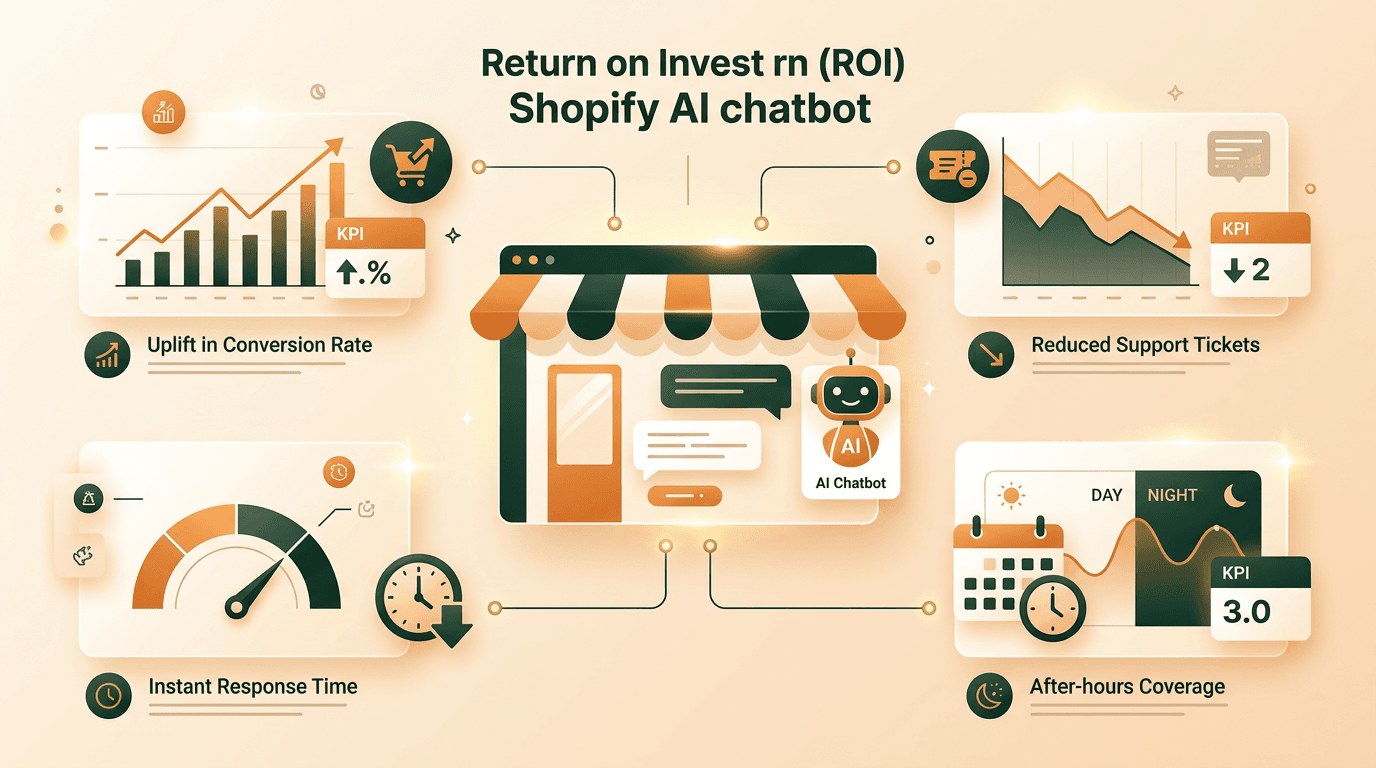
- Conversion lift. Compare conversion rates before and after chatbot installation. Stores using AI chatbots see a 10-25% increase in conversion rate on average, with the highest lifts on product pages with complex products.
- Support ticket reduction. Measure your email/ticket volume before and after. A well-configured chatbot typically reduces tickets by 40-60%.
- Average order value. Chatbots that make product recommendations can increase AOV by suggesting complementary products or upgrades.
- Response time. Your average customer support response time should drop dramatically — from hours (email) to under 1 second (chatbot).
- After-hours engagement. Track chatbot conversations that happen outside business hours. These are questions that previously went unanswered.
Pro tip
Set up a simple A/B test: show the chatbot to 50% of visitors for 2 weeks. Compare conversion rates, support ticket volume, and average order value between the two groups for clean attribution.
FAQ
Does the chatbot work with all Shopify themes?
Yes. The widget uses Shadow DOM, which means it renders independently of your theme's CSS. It works with Dawn, Debut, Brooklyn, and every third-party theme. No theme modifications needed beyond pasting the script tag.
Can I hide the chatbot on certain pages?
Yes. Either configure excluded pages in the rentabot.chat dashboard, or use Liquid conditionals in your theme:
{% unless template == 'cart' or template == 'checkout' %}
  <script
    src="https://cdn.rentabot.chat/widget.js"
    data-api-key="your-api-key-here"
    async>
  </script>
{% endunless %}
Will the chatbot affect my Shopify speed score?
The impact is negligible. The script loads asynchronously (does not block page rendering), weighs 38KB gzipped, and makes no synchronous API calls during page load. Most stores see zero change in their Shopify speed score.
Can I customize the chatbot's appearance to match my brand?
Fully. Set your brand colors, avatar, welcome message, and widget position from the dashboard. The widget adapts to mobile automatically. See the general installation guide for all customization options.
Ready to add AI-powered support to your Shopify store? Follow the general setup guide for detailed configuration, or read the WordPress guide if you also run a WordPress site.